Effortless notes from your phone to your Obsidian Vault
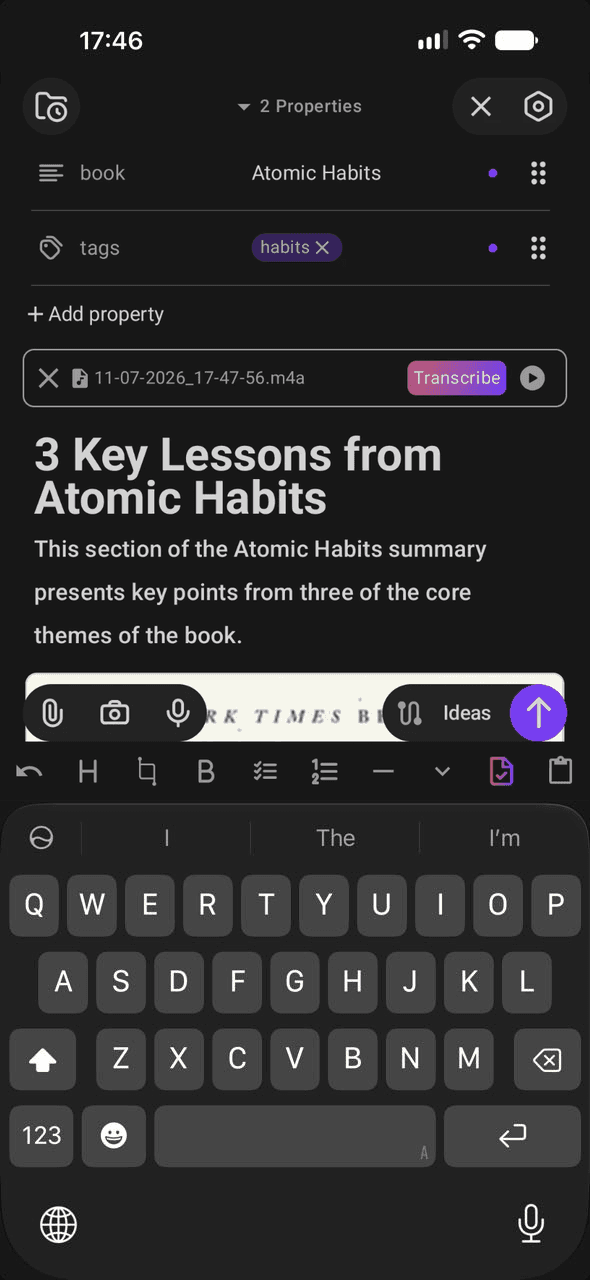
Open Quick Draft on your phone and a blank page is ready. Type, dictate, snap a photo or share from any app — your note lands in the right file of your Vault.
Free to use
No account, no ads
Plain Markdown files
Speak into your Vault
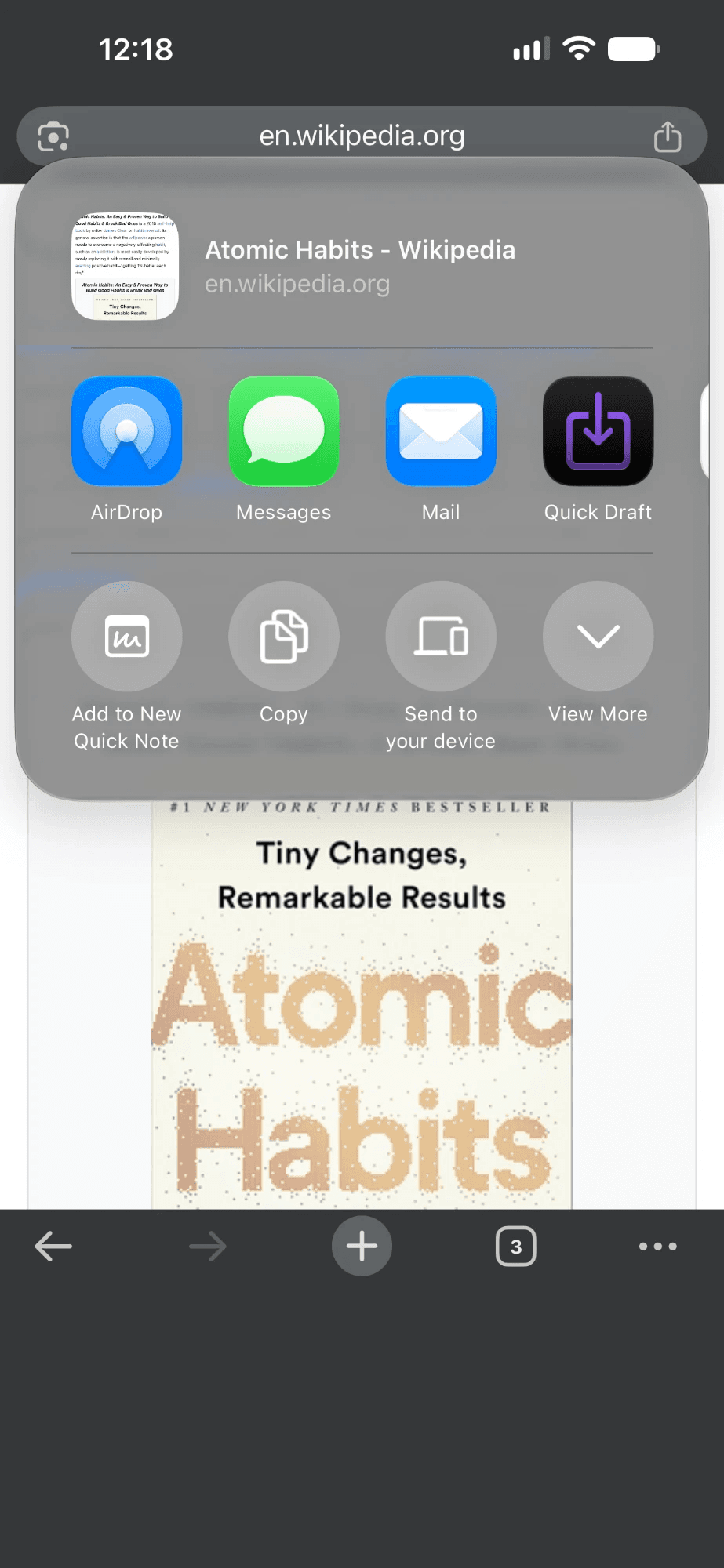
Zero-friction share
Photos to text
Quick capture features for Obsidian
Voice notes
Record, pause, resume. Transcribe in 57 languages and keep the audio.
Templates & properties
Frontmatter from presets or your own notes, in a live Markdown editor.
Files & attachments
Images, videos and documents, with file names and folders you define.
Auto-formatted links
Paste or share a link and its page title is fetched for you, formatted as [Page title](url).
Unlimited notes & Vaults
Loved by Obsidian users
4.8on Google Play (average rating out of 5)
★★★★★
“Feels like a direct ‘brain → vault’ button!”
★★★★★
“Spectacular companion utility for Obsidian!”
★★★★★
“Love how simple and effortless Quick Draft is!”
★★★★★
“Very good and snappy!”
1Share2Saved
Share to Obsidian
Zero-friction share
Found something worth keeping? Share it from any app and it lands in your Vault in one tap, with no extra prompts.
Works from the share sheet in any app
Text, links, photos, videos, audio and documents
Saved straight to the note you picked
Obsidian daily notes
One capture, the right notes
Send each capture to one or more notes at once, formatted the way you want. Keep a setup for meetings, one for your reading list, one for your journal — and switch with a tap.
Append, prepend, or insert under a heading
New notes from templates, named by date, first line or AI
One capture from the Reading list setup is saved into three notes: a new book note, today’s daily note and the inbox.
Capture“Habits are the compound interest of self-improvement.”book: Atomic Habits#habits
Reading list
Books/Atomic Habits.mdnew note · template
Daily/2026-11-08.mdunder ## Reading
Inbox.mdprepend
AI assist
Use AI your way
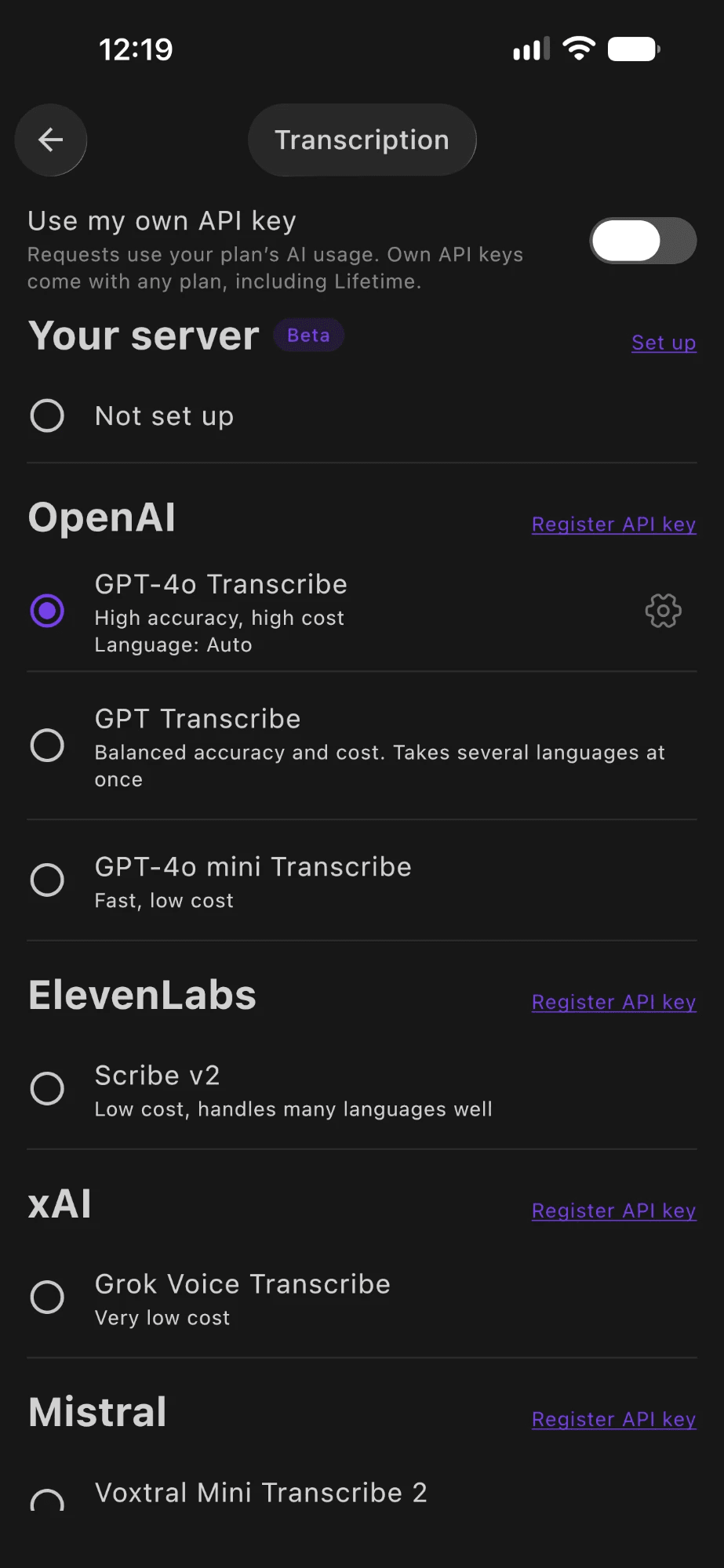
Transcribe voice, read handwriting, fix grammar, generate titles and fill empty properties — with prompts you can customize. Use the cloud, your own API keys, the on-device model, or connect your own server.
Cloud
Works out of the box with a Pro plan.
Your API keys
OpenAI, Anthropic, Gemini, xAI, Mistral and ElevenLabs.
On-device
Apple Intelligence or Gemini Nano. Private, works offline.
Your own server beta
Transcription and LLM on your own server with Ollama, Whisper or LocalAI.
Your next idea is one tap away
Free on iPhone, iPad and Android.
Tell us about Quick Draft
Questions, bugs or ideas — send us a message. For feature ideas you can also vote on the feature board.